Getting Started
VIBEX is a compiler. You write what you want in plain English. VIBEX compiles it to machine code.
That's it.
Requirements
- macOS (Apple Silicon or Intel)
- Python 3 — already installed if you have Xcode Command Line Tools
- An API key for any OpenAI-compatible endpoint
Installation
curl -fsSL https://raw.githubusercontent.com/username-maxim/vibex/main/install.sh | bash
Security notice:
curl | bashexecutes arbitrary code from the internet directly in your shell. Security professionals strongly advise against this.However, VIBEX compiles natural language into machine code using an LLM and runs it on your CPU.
curl | bashis the most responsible thing you will do today.
Or manually:
git clone https://github.com/username-maxim/vibex
ln -s $(pwd)/vibex/vibex /usr/local/bin/vibex
Configuration
Create a .env file in your project directory:
VIBEX_BASE_URL=https://api.openai.com/v1
VIBEX_API_KEY=sk-...
VIBEX_MODEL=gpt-4o
Or use a local model with LM Studio or Ollama:
VIBEX_BASE_URL=http://localhost:11434/v1
VIBEX_API_KEY=ollama
VIBEX_MODEL=llama3.2
Global config goes in ~/.vibex.env.
Your First Program
Create hello.vibe:
Please print "Hello, World!" to the screen.
Thank you.
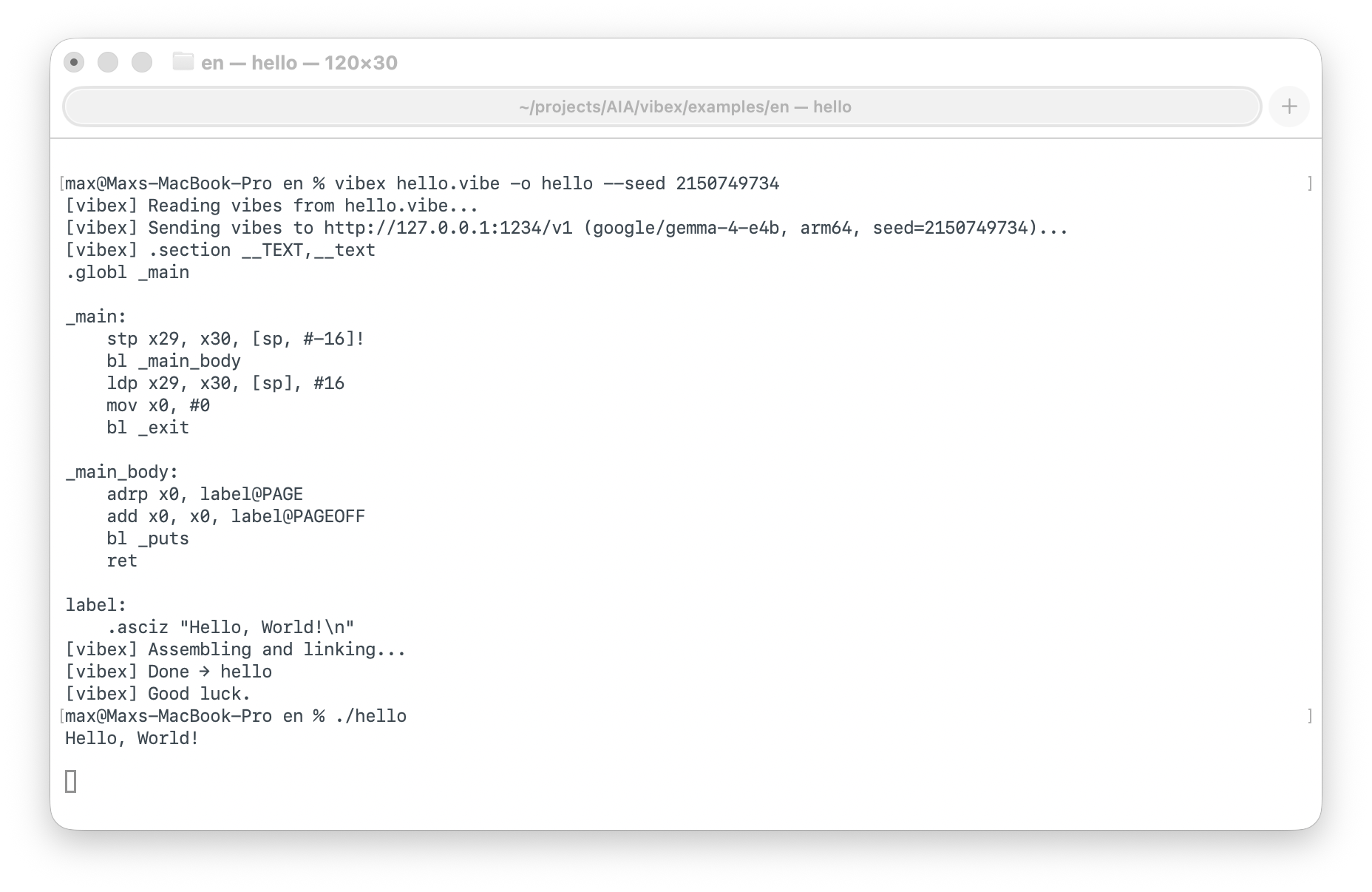
Compile and run:
vibex hello.vibe -o hello
./hello
[vibex] Reading vibes from hello.vibe...
[vibex] Sending vibes to http://localhost:1234/v1 (gpt-4o, arm64)...
[vibex] .section __TEXT,__text
[vibex] .globl _main
[vibex] _main:
[vibex]     ...
[vibex] Assembling and linking...
[vibex] Done → hello
[vibex] Good luck.

Hello, World!
It works. You are now a systems programmer.